
Flat Lay Photography for E-commerce Brands
Create stunning overhead product photos — with AI or by hand
No credit card • No photo studio required
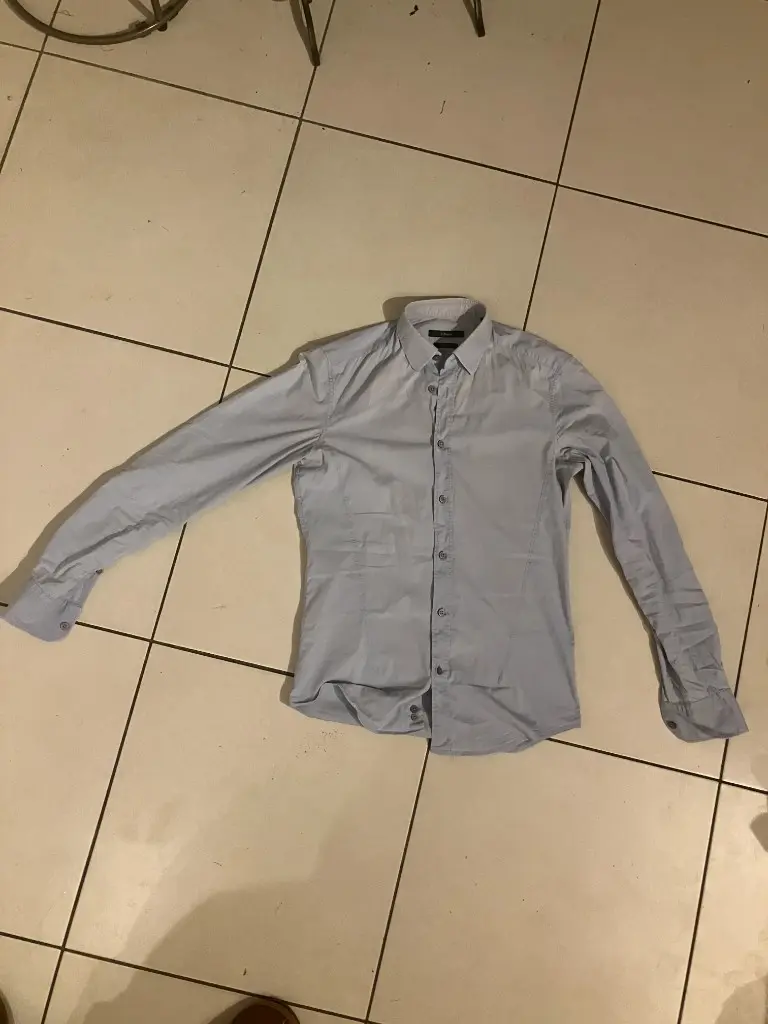
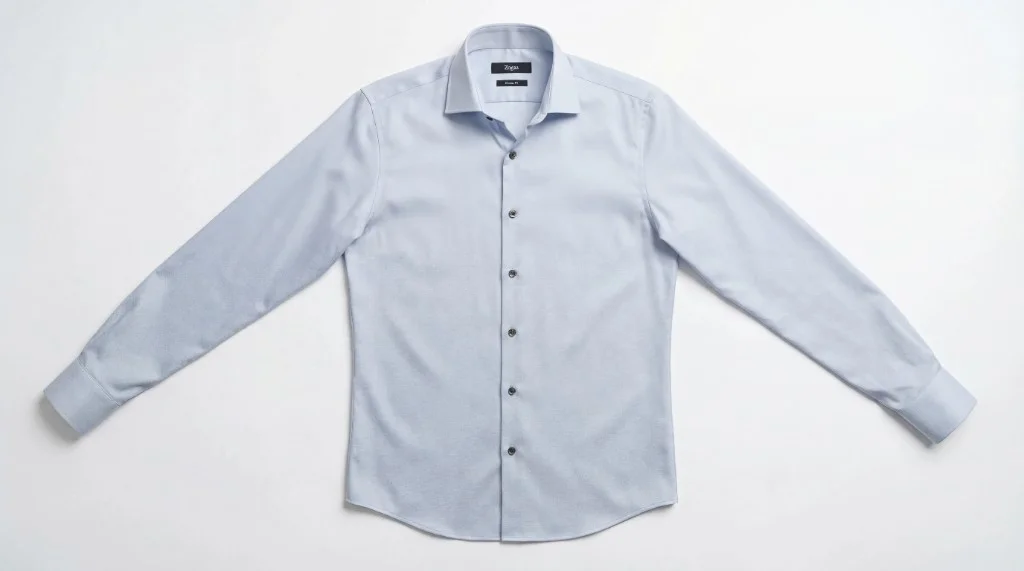
What is Flat Lay Photography?
Flat lay photography is a style where products are photographed from directly above, arranged on a flat surface. The camera looks straight down at the subject, creating a bird's-eye view that shows the full shape, texture, and details of each item. For fashion and apparel brands, this format is especially powerful: garments are laid out to show collars, sleeves, hemlines, and fabric patterns in one clean frame.
The flat lay style emerged from editorial and food photography and has become a staple of e-commerce and social media. Instagram grids, Pinterest pins, lookbooks, and product catalogs all benefit from the consistent, aesthetic look of well-executed flat lay product photography. Unlike ghost mannequin shots that show garments in 3D, flat lays present apparel in a more lifestyle, editorial context—perfect for brand storytelling and visual consistency across channels.
How to Create Flat Lay Product Photography
Whether you're shooting by hand or using AI, here's the core workflow:
- Prepare the garment: Steam or iron to remove wrinkles. For DIY, lay the item on a clean, neutral surface (white paper, marble, wood). For AI, any photo of the garment works—mannequin, hanger, or messy flatlay.
- Position for best angles: Arrange so collars, buttons, sleeves, and key design details are visible. Avoid overlapping that obscures important features. Leave negative space for balance.
- Light evenly: Soft, diffused light from above or the side reduces harsh shadows. Natural window light works; ring lights or softboxes give consistent results. Avoid direct overhead flash.
- Shoot straight down (DIY) or upload (AI): Position the camera directly above the subject. For AI tools like Photostudio, upload any garment photo and the software generates a styled flat lay automatically.
Flat Lay Photography Best Practices
- Use neutral backgrounds: White, gray, marble, or light wood keep focus on the product. Busy backgrounds compete for attention.
- Maintain consistent styling: Same surface, lighting, and framing across a catalog builds a cohesive brand look.
- Show the full garment: Ensure nothing is cropped. Customers need to see the complete product.
- Optimize for platforms: Square (1:1) for Instagram, Pinterest-friendly aspect ratios. E-commerce often uses 2048x2048 or larger.
DIY vs AI Flat Lay Photography
Both approaches have strengths. Choose based on volume, budget, and timeline.
| Factor | DIY Flat Lay | AI Flat Lay |
|---|---|---|
| Setup time | 15–30 min per shot | ~20 seconds |
| Equipment | Camera, backdrop, lighting, props | None (upload from phone) |
| Consistency | Varies with lighting/styling | Uniform across catalog |
| Best for | Hero shots, small batches | Catalog scale, 50+ SKUs |
Many brands combine both: AI for fast catalog coverage, DIY for standout campaign imagery.
Flat Lay Product Photography Use Cases
- Instagram feeds and grid layouts
- Pinterest pins and boards
- Email marketing and newsletters
- Lookbooks and digital catalogs
- Product detail page alternate images
- Wholesale and B2B presentations
See our flatlay feature → for examples and the full tool. Need 3D product shots? Ghost mannequin creates the hollow-man effect for PDPs.
Frequently Asked Questions
Flat lay photography for e-commerce
Skip the Photo Studio — Create Flat Lay Photos with AI
Upload any garment photo. Get a professional flat lay in seconds. No props, no setup, no studio. Try free.
No credit card required • Works with mannequin, hanger, or messy shots