
Flat Lay Product Photography: Complete Guide
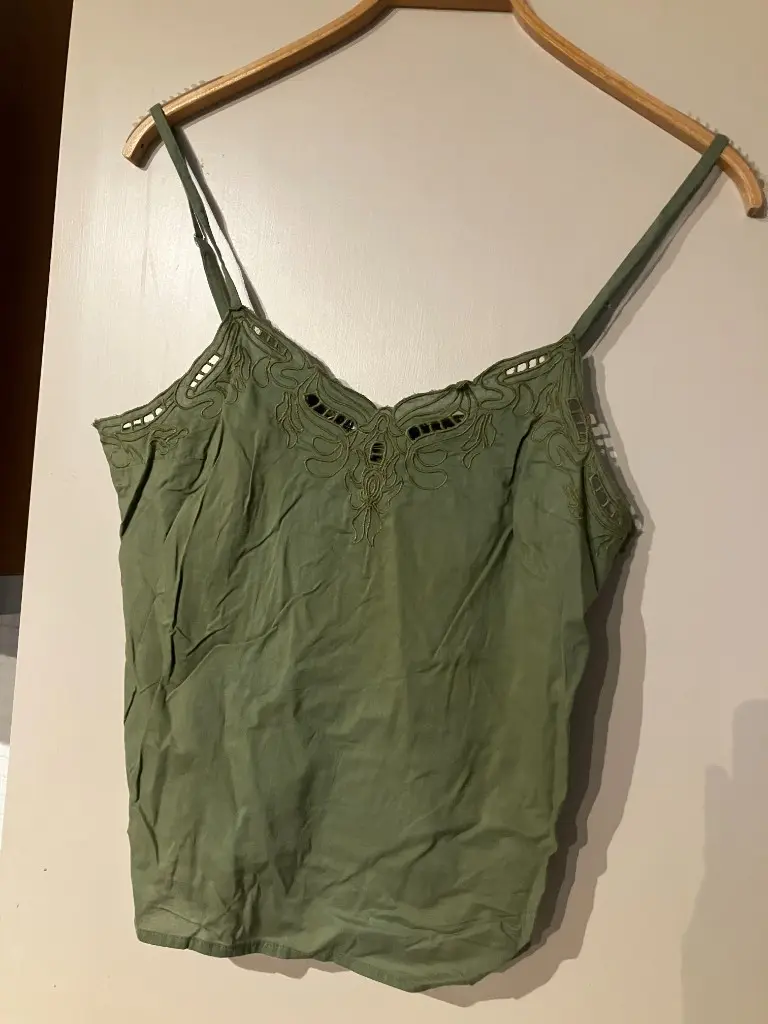
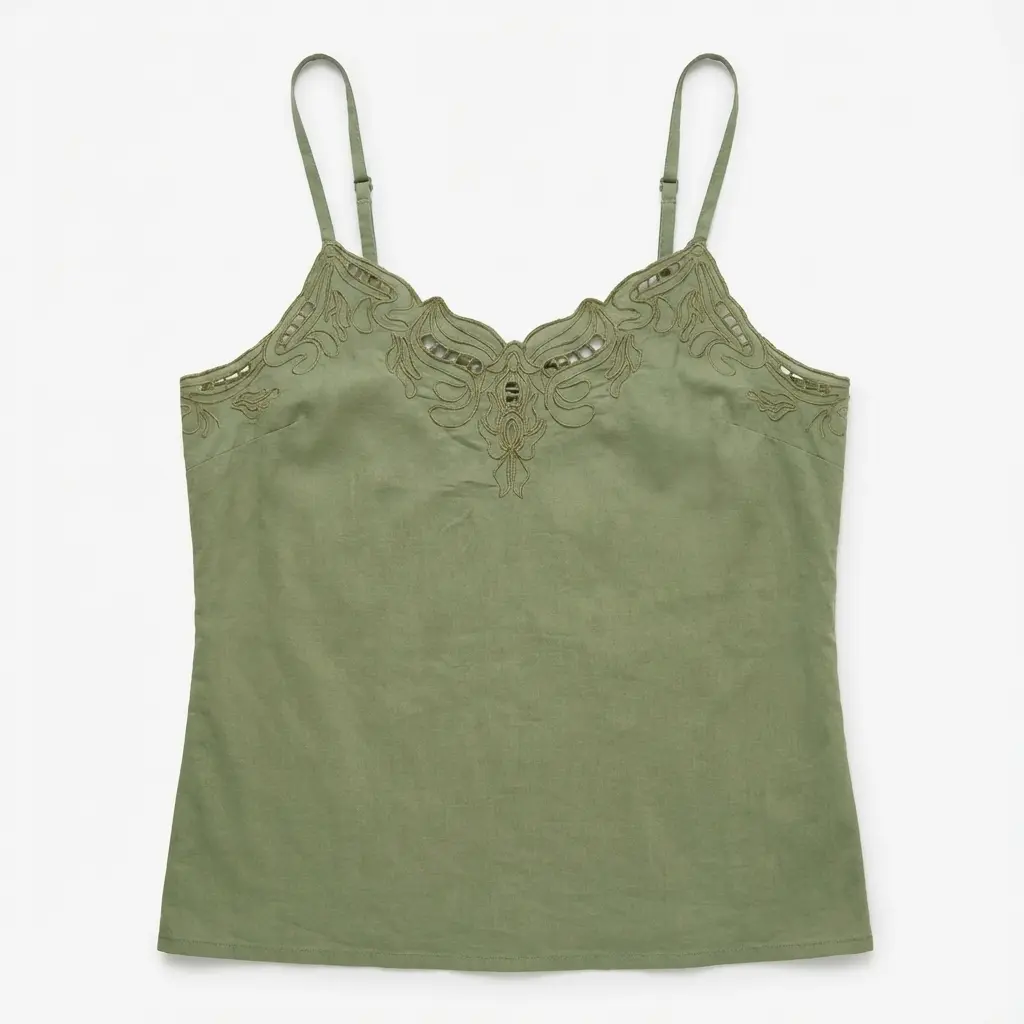
Flat lay product photography has become a cornerstone of fashion and e-commerce imagery. Overhead shots of garments and products create a consistent, editorial aesthetic that performs well on Instagram, Pinterest, lookbooks, and product catalogs. This guide covers everything from equipment and technique to lighting, composition, and the AI-powered alternative that lets you skip the studio entirely.
Why Flat Lay Product Photography Matters
Flat lay product photography matters because it gives customers a clear view of the full product. Unlike mannequin or model shots that show garments in use, flat lays display the complete shape, pattern, and details in one frame. For e-commerce, this format supports informed buying decisions—customers see collars, sleeves, hems, and fabric texture without scrolling through multiple angles.
Social platforms favor flat lay content. Instagram grids, Pinterest pins, and email newsletters all benefit from the cohesive look of well-executed overhead product shots. Brands that standardize on flat lay styling build visual recognition and trust. The format also scales: once you have a system, you can produce hundreds of images with consistent quality.
Equipment Needed for Flat Lay Product Photography
You don't need a full studio to create flat lay product photography. Here's what works at different levels:
Essential
- Camera or smartphone: Modern smartphones capture sufficient quality for web and social. A DSLR or mirrorless camera with 24+ megapixels gives more headroom for print and large formats.
- Flat surface: White poster board, marble tile, wood plank, or fabric backdrop. Neutral tones keep focus on the product.
- Light source: Natural window light works. Position your setup near a large window with diffused light (overcast day or sheer curtain).
Recommended
- Tripod or overhead rig: Keeps the camera perpendicular to the surface. Handheld overhead shots often have slight angle issues.
- Ring light or softbox: For consistent illumination when natural light isn't enough. Ring lights reduce shadows; softboxes create even, diffused light.
- Backdrop paper or fabric: Seamless surfaces in white, gray, or cream. Eliminates seams and wrinkles that show in close-ups.
Optional
- Reflectors: Bounce light into shadows. White foam board is an inexpensive option.
- Remote shutter or app: Reduces camera shake when shooting from above.
- Color checker: For color-critical work and e-commerce consistency.
Step-by-Step Flat Lay Tutorial
Follow this workflow for consistent flat lay product photography:
- Prepare the garment: Steam or iron to remove wrinkles. Wrinkles are more visible in overhead shots. Lay the item flat and position it so collars, sleeves, and key details are visible.
- Set up the surface: Place your backdrop on a stable surface. Ensure it's large enough to frame the product with negative space. Taping the edges prevents shifting.
- Position lighting: Place your light source above or at a 45-degree angle to the surface. Avoid shadows cast by the camera. If using window light, shoot when the sun isn't direct.
- Mount the camera overhead: Position the camera directly above the center of the product. Use a tripod or overhead rig so the lens points straight down. Check for keystoning (trapezoidal distortion) and correct if needed.
- Frame and shoot: Leave breathing room around the product. Square (1:1) works for Instagram; 4:5 is common for Pinterest. Shoot multiple frames with slight adjustments to positioning.
- Review and refine: Check focus, exposure, and composition. Reshoot if edges are cut off or shadows are harsh.
Lighting Techniques for Flat Lay Photography
Lighting makes or breaks flat lay product photography. The goal is even illumination with minimal shadows.
Natural Light
Window light is free and often flattering. Position your setup perpendicular to the window so light crosses the surface evenly. Overcast days or sheer curtains diffuse harsh sunlight. Avoid midday direct sun—it creates hard shadows. Morning and late afternoon provide softer, directional light.
Artificial Light
Ring lights mounted above the surface provide even, shadow-free illumination. Softboxes at 45-degree angles simulate window light. For a budget option, use a large LED panel or multiple lamps with diffusers. The key is softening the light source—bare bulbs create hot spots and harsh shadows.
Avoiding Common Mistakes
Don't mix color temperatures (e.g., window light and tungsten) unless you're intentionally creating a look. Use manual white balance. Watch for the camera or your hands casting shadows—overhead rigs and remotes help. Lastly, ensure the background is evenly lit; gradients or dark corners detract from the product.
Composition and Styling
Composition in flat lay product photography follows principles used in editorial and food photography.
- Rule of thirds: Place the product off-center for visual interest. Align key elements with imaginary grid lines.
- Negative space: Leave room around the product. Crowded frames feel chaotic; clean backgrounds feel premium.
- Angles and folds: Slight asymmetry—a folded sleeve, angled collar—adds dynamism. Avoid perfectly symmetrical layouts unless that's your brand.
- Layering: For outfit shots, layer pieces so each is partially visible. Create depth without overlap that obscures details.
- Props (optional): Accessories, fabric swatches, or lifestyle items can reinforce the brand. Use sparingly—the product should dominate.
Editing Tips for Flat Lay Product Photography
Post-production polishes flat lay images for e-commerce and social.
- Crop consistently: Use the same aspect ratio across a catalog. Square for Instagram; match marketplace requirements (e.g., 1:1 or 2048x2048 for some platforms).
- White balance: Ensure neutrals read as neutral. Gray cards or color checkers during capture simplify correction.
- Exposure and contrast: Slight adjustments can recover shadow and highlight detail. Avoid crushing blacks or blowing whites.
- Background cleanup: Remove dust, lint, or surface imperfections. Clone stamp or healing brush in Photoshop works; AI retouching tools can automate minor cleanups.
- Sharpening: Apply subtle sharpening for web. Over-sharpening creates halos and noise.
Category-Specific Flat Lay Tips
Clothing categories need slightly different styling so shape and details stay readable from above:
- Tops and shirts: Lay flat with arms extended slightly or folded neatly at the sides. Show the neckline clearly — buyers often check it first.
- Bottoms: Lay trousers or skirts with a slight natural bend at the knee line so the silhouette does not look stiff.
- Outerwear: Use the garment's natural structure — do not force jackets completely flat. Show lapels and distinctive collar details.
- Knitwear: Emphasize texture. Slight raking light can reveal the knit pattern without harsh shadows.
Catalog Consistency and Framing
When you photograph many SKUs, keep the same background, lighting, crop ratio, and margin around the product. Square (1:1) or portrait (3:4 / 4:5) work well for product grids. Reproducing that frame shot-to-shot makes the catalog look intentional and reduces retouching variance.
A single clear garment photo can also feed more than one commercial format. From one source image you can produce flat lay for shape and material, ghost mannequin for structure, and on-model for fit — see ghost mannequin vs flat lay vs on-model for when each belongs on the PDP.
AI-Powered Flat Lay Alternative
If you're scaling catalog volume or don't have time for DIY setup, AI flat lay tools offer a different approach. Upload any garment photo—mannequin shot, hanger photo, or messy flatlay—and the AI generates a styled overhead product layout. No props, no lighting setup, no studio required.
AI flat lay helps brands with tight launch timelines or limited photography resources keep styling consistent across the catalog: same background treatment, same composition logic, same output format. Many brands combine AI for bulk catalog coverage with DIY for hero campaign imagery.
Flat Lay Product Photography Examples
Strong flat lay product photography shows the full garment with clean composition and even lighting. Tops, dresses, knitwear, and pants all work—arrange so collars, sleeves, and hem details are visible. Neutral backgrounds (white, marble, light wood) keep focus on the product. For inspiration, browse fashion brand Instagram feeds and e-commerce product pages; the best flat lays feel intentional, not rushed.
FAQ
What is flat lay product photography?
Flat lay product photography is an overhead shot of products arranged on a flat surface, photographed from directly above. It shows the full shape, texture, and details of apparel and products in a clean, editorial style. Popular for e-commerce, Instagram, lookbooks, and catalogs.
What equipment do I need for flat lay product photography?
Minimum: a smartphone or camera, natural or soft artificial light, and a neutral surface (white poster board, marble, wood). For professional results, add a tripod, ring light, and backdrop paper. AI tools eliminate equipment needs entirely.
What lighting works best for flat lay photography?
Soft, diffused light from a window or softboxes. Avoid direct overhead flash. Position lights at 45-degree angles or use a ring light centered above. Natural daylight on an overcast day works well for even illumination.
Can AI create flat lay product photography?
Yes. AI flat lay tools generate professional overhead shots from any garment photo—mannequin, hanger, or messy flatlay. Upload once, get styled results in seconds. Ideal for catalog scale without props or studio setup.
Flat lay vs ghost mannequin—when to use each?
Use ghost mannequin for main product pages and marketplaces—it shows garments in 3D. Use flat lay for social feeds, lookbooks, email, and lifestyle content. Many brands use both from a single upload.
Try AI Flat Lay Product Photography
Create professional flat lay product photography in seconds. Upload any garment photo—no studio, no props, no styling time required.
Try free AI flat lay tool
Upload one product photo and get a clean flat lay in seconds. E-commerce ready.