
On-Model Photography Guide for Fashion Ecommerce
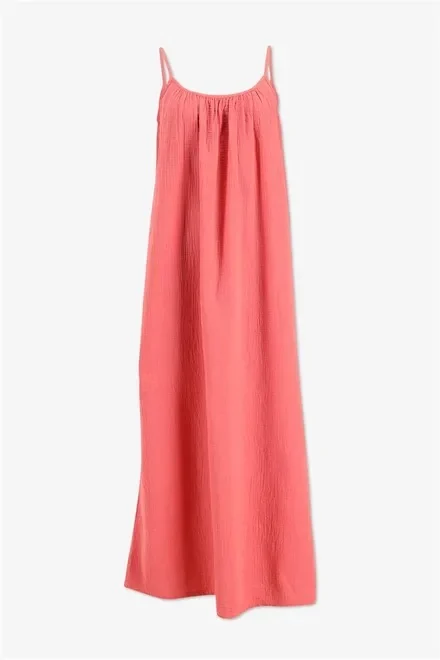
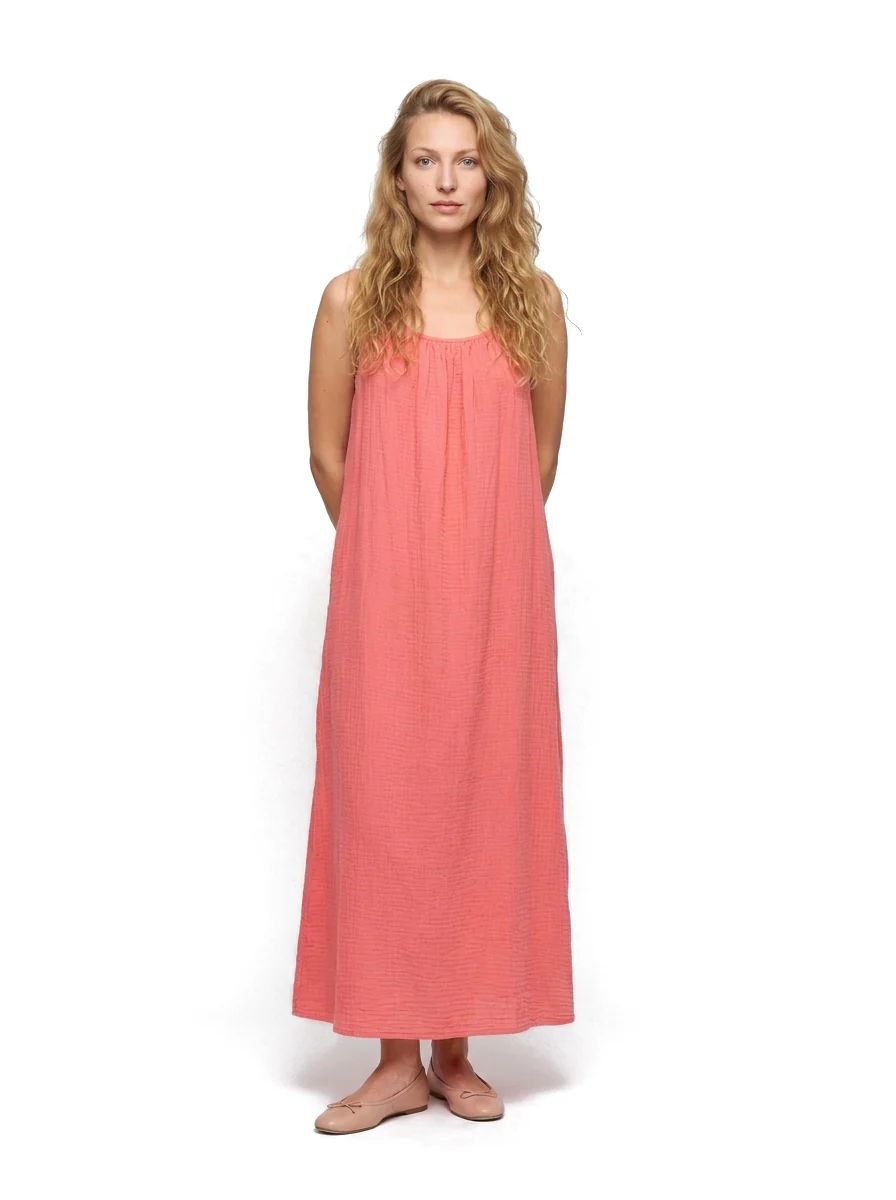
Real Photostudio examples. Generated views illustrate each format; review color, texture and construction against the source before publishing.
On-model photography answers the question flat lay and ghost mannequin cannot fully answer: how does this garment fit and proportion on a body? For fashion ecommerce, that context reduces hesitation on fit-sensitive categories and supports campaigns without replacing a structured primary image.
This guide is educational — shot planning, poses, lighting, casting and QC. For the commercial production tool, see AI on-model photography for fashion ecommerce. To choose formats by PDP slot, read ghost mannequin vs flat lay vs on-model.
What on-model photography communicates
On-model shows scale, hem length, shoulder fit and how fabric drapes when worn. Use it when customers need fit confidence. Keep ghost mannequin as the usual primary when structure and catalog consistency matter most, and flat lay when shape, color and material from above are the priority.
Shot planning for ecommerce PDPs
Plan a small, repeatable set rather than one-off editorial variety:
- Front: full garment readable, arms relaxed, hem visible
- Side or three-quarter: depth and silhouette
- Back: rear construction, logos, and length
Match aspect ratio and crop margins to your PDP gallery. Consistency across SKUs matters more than creative variety for catalog conversion.
Poses and camera angles
Prefer catalog-safe poses: weight even, shoulders square, chin neutral. Avoid extreme fashion poses that hide the garment. Camera height around chest level with a short telephoto (or equivalent crop) reduces distortion of legs and torsos. Keep the lens parallel to the body plane for clean proportions.
Lighting
Soft, even key light with controlled fill keeps texture visible without harsh face or fabric shadows. Match color temperature across the set. For dark fabrics, lift fill so seams and surface detail remain readable — the same principle as traditional apparel studios.
Model casting for catalog consistency
Pick a small casting set (for example one female and one male reference) and reuse it across seasons so the catalog feels coherent. Document height cues, pose rules and crop guides so freelancers or AI generation stay aligned. Size-inclusive needs may require additional castings — treat that as a deliberate PDP strategy, not an afterthought.
Building the PDP gallery
- Primary: usually ghost mannequin (structure)
- Secondary: flat lay or detail for material and finishing
- Fit context: on-model front / side / back
- Optional: lifestyle or campaign for desire
See the format comparison hub for channel and slot decisions, and Complete PDP Image Set for production in Photostudio.
Quality checklist
- Proportions and hem length look believable
- Fabric weight and drape match the garment
- Prints, logos and seams are not warped
- Pose set matches your documented catalog standard
- Background and lighting match sibling SKUs
Traditional studio vs AI production
Traditional on-model shoots deliver control and nuance at higher cost and scheduling friction. AI on-model production from one garment image speeds catalog coverage when casting, poses and QC rules are defined up front. Use AI for scalable fit context; reserve live shoots for hero campaigns when you need unique direction.
Try the tool at /process/on-model or read the commercial overview on /features/on-model.
When ghost or flat lay is better
- Ghost mannequin: primary PDP when structure and hollow presentation drive the listing
- Flat lay: material, pattern and overhead catalog grids — see the flat lay product photography guide
- On-model: fit and proportion questions in the gallery or ads
Generate on-model poses
Upload one garment image and create catalog-ready poses for ecommerce.