How Many Product Images Does Your Fashion Store Really Need?

Most fashion stores show too few product photos. And in fashion e-commerce, that gap directly affects conversion, trust, and returns.
A single front-facing photo is rarely enough to sell apparel online. Customers cannot touch the fabric, judge the drape, check the back, verify the color, or see how the garment fits on a body. Every missing image creates uncertainty — and uncertainty is one of the biggest conversion killers on a product page.
The practical benchmark for fashion brands is clear:
Aim for 5–8 product images per item. Seven is the sweet spot.
Here is what the data shows, which image types matter most, and how modern AI photography makes this achievable without traditional studio costs.
What the Research Shows
Multiple e-commerce studies point in the same direction: shoppers rely heavily on visual information before making a purchase decision.
- 70% of online shoppers need to see at least three product images before committing to a purchase. Source: Salsify, Consumer Research 2024: How Shoppers Search, Evaluate, and Buy
- 56% of shoppers look at images first on a product page — before titles, descriptions, specifications, or reviews. Source: Baymard Institute, Product Page UX
- Product image quality is consistently ranked among the most important purchase-decision factors in e-commerce.
- Stores that maintain five or more images per product often report materially higher conversion rates than stores relying on one or two images.
Baymard’s product page UX research recommends 5–8 product images for apparel because clothing requires more visual explanation than most other categories. Fit, silhouette, fabric texture, construction, color accuracy, and styling cannot be judged from one static front shot.
Yet many independent fashion stores still rely on only one or two images per product.
That is not just a visual problem. It is a revenue problem.
Why This Matters Especially for Fashion
Fashion is one of the hardest categories to sell online.
Your customer cannot:
- Touch the fabric
- Try the item on
- See how it moves
- Judge the weight
- Check transparency
- Verify the true color
- Understand the fit from all angles
Every missing image leaves a question unanswered.
And unanswered questions usually lead to one of two outcomes:
- The customer leaves without buying.
- The customer buys, receives something unexpected, and returns it.
Both outcomes are expensive.
Returns are especially damaging in fashion. Return rates commonly sit around 25%, and in some segments they exceed 40%. A large share of returns is caused by expectation mismatch: the product looked different, fit differently, or felt different from what the customer imagined based on the product page.
Better imagery helps reduce that mismatch.
More accurate images → less uncertainty → fewer surprises → fewer returns.
Comprehensive product imagery does not only help customers buy. It helps them buy the right product with more confidence.
The 7 Essential Images Every Fashion Product Needs
Not all product photos have the same purpose. A strong apparel product page uses multiple image types, each answering a different customer question.
1. Front-Facing Hero Shot
This is the main product image — the one that earns the click.
It should show the full garment clearly, with clean lighting, a neutral or brand-consistent background, and no visual distractions.
Purpose: Show the product clearly and attract the initial click.
Customer question answered: “What is this product?”
2. Back View
Customers want to see the back of the garment.
This reveals seam placement, back length, closures, labels, prints, pleats, pockets, straps, or design elements that are invisible from the front.
Purpose: Complete the product view.
Customer question answered: “What does it look like from behind?”
3. Three-Quarter Angle
A ¾ angle adds depth and shape that a flat front shot cannot communicate.
It shows how the garment wraps around the body, where the fabric falls, and how the silhouette behaves in space.
Purpose: Communicate structure and dimensionality.
Customer question answered: “Does this have shape, or is it just a flat piece of fabric?”
4. Side Profile
The side view is critical for fit perception.
It shows whether the garment is slim, boxy, oversized, flared, cropped, structured, or relaxed.
Purpose: Clarify fit and silhouette.
Customer question answered: “How does this sit on the body?”
5. Detail / Close-Up Shot
This is where quality becomes visible.
Use close-ups to show fabric texture, stitching, zippers, buttons, embroidery, print quality, labels, seams, ribbing, lining, hardware, or special construction details.
For products above €30, a detail shot should be considered essential.
Purpose: Show material quality and craftsmanship.
Customer question answered: “What does this feel like, and is the quality there?”
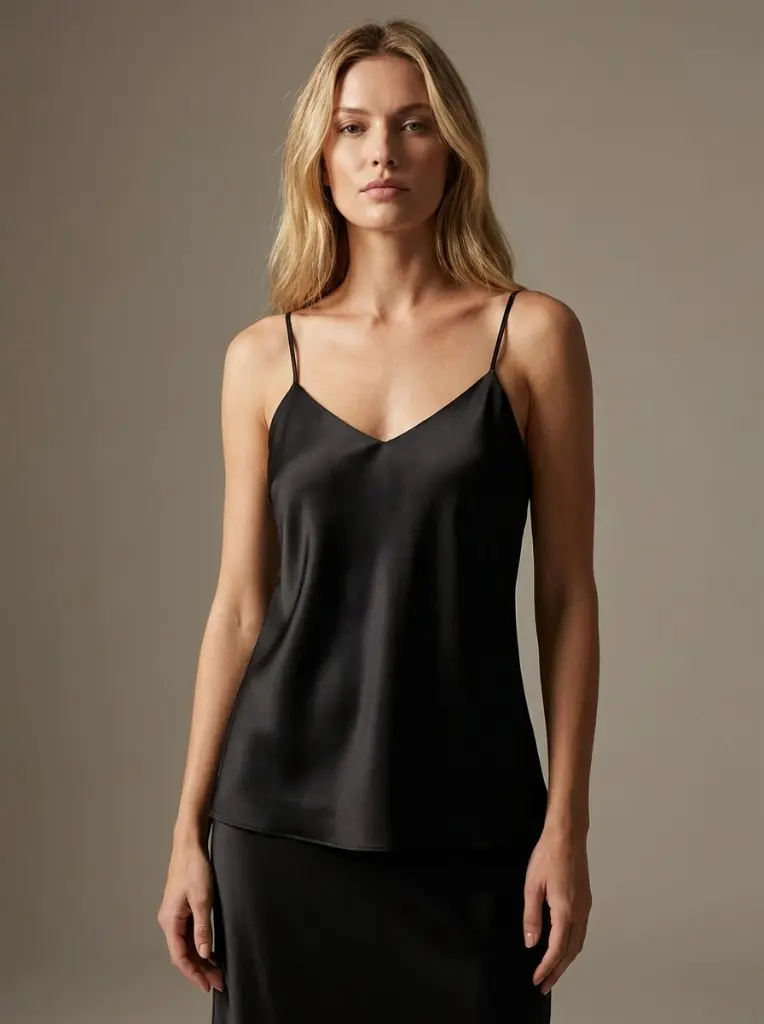
6. On-Model Shot
An on-model image is one of the most important views for apparel.
It helps customers understand fit, proportion, length, scale, and styling. A shirt on a white background tells the customer what the item is. A shirt on a model tells them how it may look in real life.
Purpose: Help customers judge fit and proportion.
Customer question answered: “How will this look on a person?”
7. Ghost Mannequin or Flat Lay
Ghost mannequin and flat lay images serve as clean catalog visuals.
A ghost mannequin shot shows the garment’s natural structure without the distraction of a visible mannequin. A flat lay works well for casual presentation, social content, and showing the complete design from above.
Purpose: Present the garment clearly and commercially.
Customer question answered: “What exactly am I getting?”
The Ideal Fashion Product Page Image Set
A strong product page usually contains this mix:
| Image Type | Purpose |
|---|---|
| Front hero | Main product view and listing click |
| Back view | Completes the product understanding |
| ¾ angle | Shows depth and garment shape |
| Side profile | Communicates fit and silhouette |
| Detail close-up | Shows fabric, stitching, hardware, quality |
| On-model | Shows fit, scale, and proportion |
| Ghost mannequin / flat lay | Clean catalog view |
| Lifestyle image | Optional but useful for brand storytelling |
Minimum target: 5 images
Ideal target: 7 images
Premium target: 8–10 images, including lifestyle and video
From 1 Product Photo to a Complete Image Set
Modern product pages need multiple visuals, but the starting point does not have to be complicated.
INPUT
1 product photo
OUTPUTS
1. Front hero image
2. Back view
3. Three-quarter angle
4. Side profile
5. Detail close-up
6. On-model image
7. Ghost mannequin or flat lay
8. Lifestyle imageThis is the target state for every serious fashion product page.
The question is not whether brands need more images. Most already know they do.
The real question is whether producing them is economically realistic.
The Problem Is Not Knowledge. It Is Economics.
Traditional fashion photography is expensive because every image requires coordination.
A standard production can involve:
- Photographer
- Studio rental
- Model booking
- Styling
- Makeup or grooming
- Lighting setup
- Retouching
- Reshoots
- Asset management
Traditional on-model fashion photography can easily cost $50–200 per final image once the full production process is included.
For one product, a seven-image set may cost:
7 images × $50–200 = $350–1,400 per productFor a 200-SKU catalog:
200 products × 7 images = 1,400 images
1,400 images × $50–200 = $70,000–280,000That is why many brands compromise.
They know one or two images are not enough, but producing a complete image set for every SKU has historically been too expensive and too slow.
That trade-off is changing.
AI-Generated Catalog Imagery Changes the Cost Structure
AI-generated catalog imagery allows fashion brands to create professional product visuals from a single input photo.
Instead of booking a full production for every product, a brand can upload an existing garment image — a flat lay, hanger shot, mannequin shot, or previous studio photo — and generate a complete image set from that source.
With tools like Photostudio.io, one product photo can become a full commercial image set:
- Ghost mannequin
- Flat lay
- On-model
- Lifestyle
- Detail-focused visuals
- Multiple angles
- Consistent catalog-ready outputs
This changes the economics of product photography.
A catalog that previously required a five- or six-figure studio budget can now be upgraded for a few hundred euros, depending on image volume and plan.
The important shift is not just lower cost.
It is speed.
A brand can test improved imagery on its top 20 products, measure the effect on conversion and returns, and then roll out the winning format across the full catalog.
What About Accuracy and Consistency?
This is the right concern.
AI product imagery only works for e-commerce if the generated visuals accurately represent the real garment. A beautiful image that changes the product is not useful. It creates distrust and increases return risk.
When evaluating any AI photography tool, focus on three criteria.
1. Garment Fidelity
The output should preserve the original garment’s:
- Cut
- Color
- Fabric texture
- Pattern
- Fit
- Length
- Construction details
- Labels, zippers, seams, buttons, and trims
The source photo should control the result. The AI should not invent new features.
2. Catalog Consistency
For a product catalog, consistency matters as much as quality.
A good image set should maintain consistent:
- Lighting
- Background
- Model style
- Crop
- Camera angle
- Color grading
- Image ratio
A catalog with inconsistent images looks unprofessional, even if each individual image is technically good.
3. Marketplace Readiness
Platforms such as Amazon, Zalando, Shopify storefronts, and fashion marketplaces often require specific image standards.
Generated images should be checked for:
- Minimum resolution
- Clean background
- No watermarks
- Correct crop
- Accurate product representation
- No misleading styling
- Platform-specific requirements
The best approach is simple: test with real products, compare outputs against the physical garments, and validate a small batch before scaling.
What the ROI Can Look Like
Here is a simple model showing how improved imagery can affect revenue.
Before: 1–2 Images Per Product
Monthly product page visitors: 10,000
Conversion rate: 2.0%
Average order value: €60
Monthly revenue: €12,000After: 5–8 Images Per Product
Monthly product page visitors: 10,000
Conversion rate: 2.5%
Average order value: €60
Monthly revenue: €15,000Potential Upside
Additional monthly revenue: €3,000
Additional yearly revenue: €36,000That model assumes a 25% conversion lift, which is a realistic case-study-style scenario rather than a universal guarantee.
Returns can also improve.
For example, if a store has:
Monthly revenue: €12,000
Return rate: 25%
Returned revenue exposure: €3,000
Average return handling cost: €30Reducing return volume by even 10–20% can have a meaningful impact on margin, customer support workload, shipping costs, and inventory availability.
The exact result depends on your category, price point, traffic quality, sizing accuracy, and current product page quality.
Better images increase buying confidence and reduce expectation mismatch.
What the Best Fashion Retailers Do
Leading fashion retailers already use this playbook. They rarely rely on one or two images. Instead, they fill the product page with multiple views and use each image to answer a different customer question.
Common patterns include:
- Zara: multiple on-model views, front, back, detail, and styling shots
- ASOS: model shots, close-ups, video, and size-context imagery
- Nike: multiple angles, feature close-ups, use-case shots, and lifestyle visuals
- Amazon: up to nine product images per listing, with strong emphasis on filling image slots
These brands are not adding images for decoration. They are reducing uncertainty.
Your Action Plan
Step 1: Audit Your Catalog
Count how many images each product currently has.
Group products into three categories:
- Weak: 1–2 images
- Acceptable: 3–4 images
- Strong: 5–8 images
If most of your products are in the weak category, you have a clear conversion opportunity.
Step 2: Start With Your Top 20 Products
Do not begin with the full catalog.
Start with your highest-traffic or highest-margin products. These pages will show the fastest measurable impact.
Prioritize products that already receive traffic but underperform in conversion.
Step 3: Create a Complete Image Set
For each priority product, aim to add:
- Front hero
- Back view
- ¾ angle
- Side profile
- Detail shot
- On-model image
- Ghost mannequin or flat lay
- Optional lifestyle image
This gives customers enough visual information to make a confident decision.
Step 4: Measure Before and After
Track results for at least 30 days.
Measure:
- Product page conversion rate
- Add-to-cart rate
- Checkout rate
- Return rate
- Customer support questions
- Revenue per product page visitor
The goal is not to guess whether better imagery works. The goal is to prove it on your own catalog.
Step 5: Roll Out Across the Full Catalog
Once the top-product test shows results, expand the format across all active SKUs.
Create an internal image standard so every product page follows the same structure.
Product Page Image Checklist
Use this checklist for every fashion product you publish.
- [ ] Front-facing hero image
- [ ] Back view
- [ ] Three-quarter angle
- [ ] Side profile
- [ ] Detail close-up
- [ ] On-model image
- [ ] Ghost mannequin or flat lay
- [ ] Lifestyle image
- [ ] Optional video or motion asset
Minimum: 5 images
Recommended: 7 images
Best-in-class: 8–10 images plus video
Bottom Line
Fashion product pages need more visual information than most brands provide.
One or two images may be enough to show that a product exists. They are rarely enough to help a customer confidently buy it.
The strongest fashion product pages usually include 5–8 images because each image reduces a different type of uncertainty: fit, shape, texture, color, detail, styling, and expectation.
Historically, producing that many images per product was too expensive for many brands.
AI-generated catalog imagery changes that. With tools like Photostudio.io, brands can turn one product photo into a complete product page image set — including ghost mannequin, flat lay, on-model, lifestyle, and detail visuals — without traditional studio production costs.
More complete product pages. More confident customers. Fewer avoidable returns.
Ready to Upgrade Your Product Pages?
Turn one product photo into a complete 7-image product page set.
Try Photostudio.io free — no credit card required.
Try Photostudio.io free
Upload one product photo. Generate a full 7-image set for your product page.